Your AI Video & Image Studio — every account, one studio.
VELTRIX turns your own Google accounts into one studio. It runs Google Flow for you and pools your free credits, so you can create videos and images in one place — no tab-juggling, no wasted credits.
Single · Batch · Long VideoBulk imagesAuto-shift accountsPooled free creditsMuse ConnectPrompt Library
Made with VELTRIX
One line of text in. A film out.
The videos in these decks are actual test generations from the app, and every still was generated from the exact prompt written on its card — no stock footage anywhere. Videos first, then images, each in its own swipeable deck. Hover a card to straighten it out, and tap the front card to see it full-size.
12 real generations6 videos · 6 images0 stock clips
VIDEOS6 clips · swipe the deck or use the arrows · tap the front card to watch it full-size
FEATURED · VIDEO · 0:10Watch
Red car, coastal road01
“A red sports car driving along a coastal road at sunset, cinematic”
VIDEO · 0:08Watch
Red fox in the snow02
“A red fox running through fresh snow in a pine forest”
VIDEO · 0:04Watch
Wooden toy train, sunny windowsill03
A wooden toy train resting on a sunlit windowsill — VELTRIX test clip
VIDEO · 0:10Watch
Talking head, cosy desk setup04
A presenter talking to camera from a cosy, lamplit desk — VELTRIX test clip
VIDEO · 0:10Watch
Sea cliffs, golden hour05
“Wide shot of dramatic sea cliffs at golden hour”
VIDEO · 0:10Watch
Red motorcycle, beach sunset06
“Red motorcycle moving alongside the beach, sun setting” — ordered from the phone app
01 / 06
IMAGES6 stills · each generated from the prompt on its card · swipe the deck, tap the front card to view it big
IMAGE
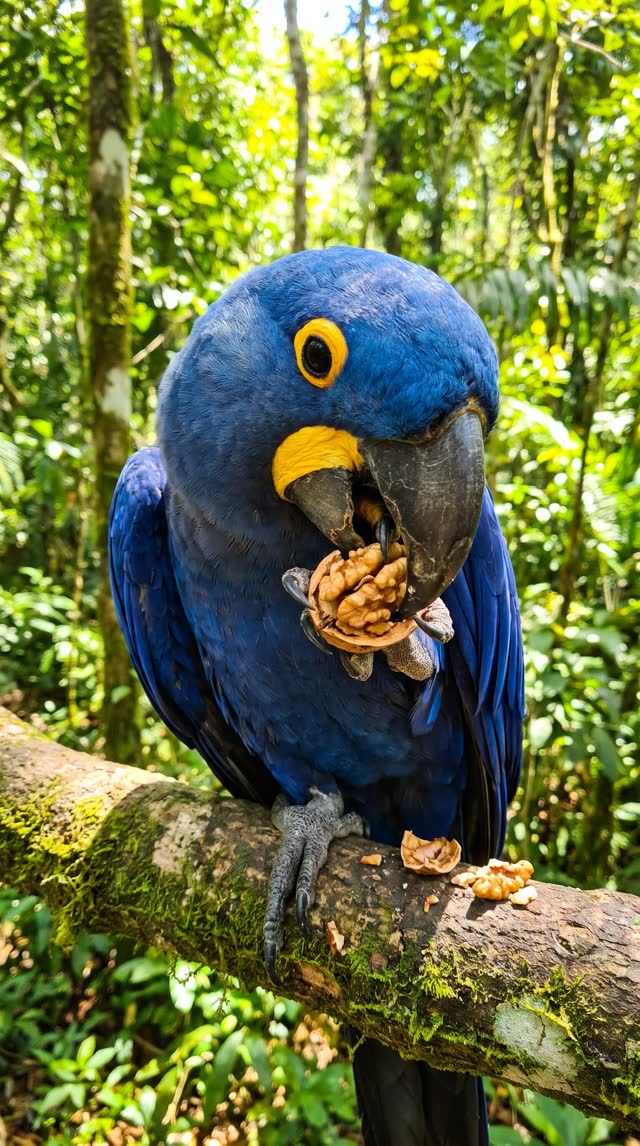
The parrot & the walnut01
“Blue parrot eating walnut” — Image Studio
IMAGE
Ramen, rising steam02
“A bowl of ramen with rising steam”
IMAGE
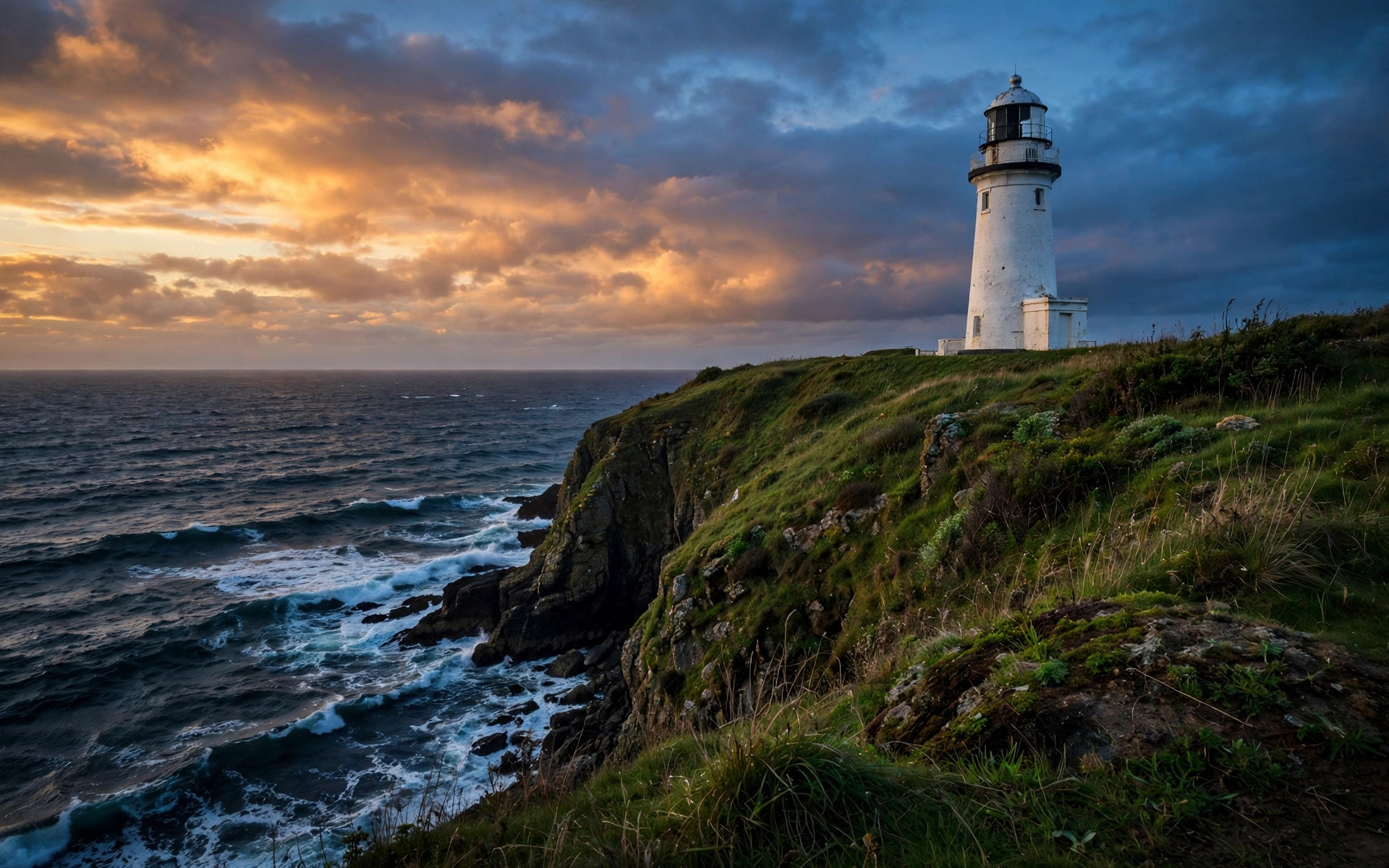
Lighthouse at dusk03
“A lighthouse on a cliff at dusk”
IMAGE
Sleepy cat, sunny windowsill04
“A sleepy cat on a sunny windowsill”
IMAGE
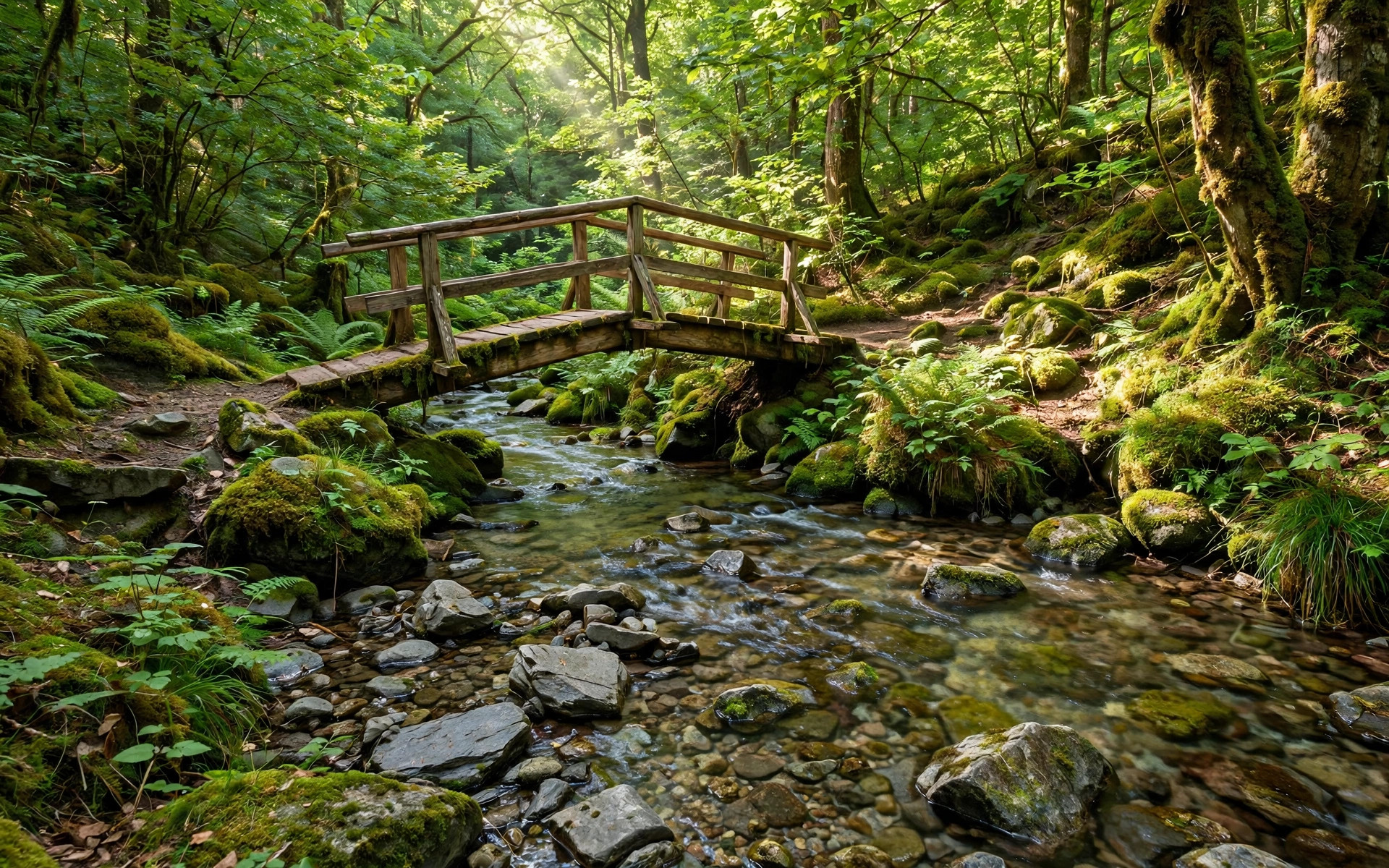
Wooden bridge, clear stream05
“A wooden bridge over a clear stream”
IMAGE
Mint tea, poured fresh06
“A glass teapot pouring mint tea”
01 / 06
Every card is a real generation · swipe a deck or tap the front card to see it full-size
How it works
Three steps, then it runs itself
Set it up once — after that, VELTRIX handles the accounts, the queue and the switching.
01
Attach your accounts
Add your own Google accounts to VELTRIX once. Their free Flow credits become one shared pool.
02
Give it the work
A single video, a whole batch, a long story, or a set of images — pick a mode and press go.
03
VELTRIX runs Flow
Jobs move to whichever account is free, automatically. Your videos and images land in one place.
Features
What VELTRIX does
One app for your whole Flow workflow — videos, images, and all your accounts working together.
Video Studio
Make Flow videos three ways, depending on the job:
Single
One video at a timeFull control over every generation.
Batch
A whole list of videosQueued and generated for you, one after another.
Long
Longer storiesSplit into scenes automatically, then rendered in order.
Image Studio
Generate Flow images in Single or Bulk mode — single images are free and unlimited, and bulk runs split across your accounts so big sets finish fast.
Auto-shift across accounts
Attach your Google accounts once. When one is busy, VELTRIX shifts the job to the next free account on its own — you never have to stop and switch accounts by hand.
Muse Connect
Connect Muse and let it work as your studio's brain, right inside the app.
Tutorials
Video tutorials
Eight short episodes walk you through everything, from first install to going Pro.
VELTRIX turns your own Google accounts into one smart studio — create videos and images with Google Flow, with all your credits pooled and spent in order, scene-by-scene story building, and an AI brain that can help run the show.
This is the real VELTRIX PC app interface — explore every screen. Nothing generates live and no credits are used; results are real samples made with VELTRIX.
Workspace › Video StudioAPP DEMO ConnectedCredits 171Plan Lifetime
One idea, one scene, one story — every prompt is a new video.
Pick up where you left off
A new chapter is always just a click away.
Aakhri Anda27 Nov 2026 · Long Video · 6 scenes
Beach story26 Nov 2026 · Long Video · 4 scenes
Funny cat test25 Nov 2026 · Single video
Nature batch24 Nov 2026 · Batch video · 5 videos
Start here
A few quick steps and you are making videos. Nothing here spends credits — credits are only used when you press Generate yourself.
1
Connect a Google account
Generation runs on the free credits of your own Google account. Pressing Connect opens a normal Chrome window — sign in there and close the window when you are done. Your password is never saved by this tool.
2
Try the Analyzer
Paste a YouTube channel or a single video link and get its style patterns, best posting times, ready-to-use prompts and title ideas — a good way to see what already works before you generate.
3
Make your first video
Write one prompt in Video Studio → Single, pick the model and ratio, and press Generate. The clip is created in Flow and downloaded for you, upscaled to 1080p.
4
Optional: API key or Muse Connect
Add a provider API key (fal.ai, Replicate, OpenAI, Anthropic) in Settings to unlock Pro API models — or, with Pro, turn on Muse Connect and run Studio from your own Muse on your phone. Both are optional; the free Flow route above needs neither.
Upgrade to Pro
Pro removes the daily limits and unlocks the features that make VELTRIX faster — including Muse Connect, which no other tool has.
You are on Pro · Lifetime — it never expires.
Monthly
Rs. 999 / month
Full Pro for one month. The key stops by itself at the end of the month — renew only if you want to.
Yearly
Rs. 7,999 / year
Full Pro for a whole year — two months free compared with paying monthly.
First 100 buyers
Lifetime
Rs. 4,999 one-time
Early-supporter price: pay once, Pro forever. Only for the first 100 buyers — then this plan closes.
Outside Pakistan: $5/month or $39/year — by card, or in crypto (USDT).
What Pro unlocks
Muse Connect — run VELTRIX from your own Muse on your phone (Pro only)
Editor — the full CapCut-style editor: speed, transitions, colour grades, templates, music & sound library, captions (Pro only)
Multiple Google accounts — connect as many as you want (Free: 1 account)
Batch — unlimited videos a day (Free: 3 a day)
Bulk images — a whole list of images in one go, spread across your accounts (Free: single images only — still free and unlimited)
Story / Long Video — unlimited stories (Free: 1 a day)
Auto Edit with AI moment picking (Phase B)
Analyzer full pack — Master Prompt + ready script + title ideas (Free: basic report)
No “Made with VELTRIX” mark on your outputs
Prompt Library new packs first, and all Auto-Fix updates first
Nothing here yet — write a prompt above and press Generate.
▶0:10
Dawn at the cliff nest — Sona guards her egg…
▶0:10
A red fox runs through fresh snow at sunrise…
▶0:10
A small paper boat floats down a quiet stream…
🕐 Generation queue
Queued prompts generate on their own when credits are available — for example after the free daily credits refresh. Leave the app open; a queued item never spends credits twice.
Batch video
One prompt, one video. All in one run.
⚙ Setup
BATCH VIDEO
More ideas, one simple run.
Write one prompt per line. Each becomes its own video.
YOUR PROJECTS · 4 projects
∞ Video prompts · One line · One video5 prompts
STORYBOARD — YOUR VIDEOS
Batch is idle — write prompts above and press Start Batch.
The queue is empty — write some prompts and press Start.
LATEST RESULTS
Nothing here yet — write prompts above and press Start Batch.
Long Video
A full story in scenes — split, generate, combine.
⚙ Setup
Long Video
Choose a project in the setup panel — its scenes, cast and places live here.
YOUR PROJECTS · 4 projects
All 6 · ✓ Done 0 · ◷ Left 6
Split a long prompt with the card below, or type the scenes yourself. They are generated in order into the chosen project and saved into the project's History folder. The cards above are the scene timeline: move a scene left or right, trim its start or end, untick it to leave it out of the combine, or remove it from the project with its trash button (removing never deletes the file from your PC). Combining runs on this PC — no credits.
Cast detected: —
Places detected: —
Add your cast first: when a scene line mentions @Name, that character's appearance is woven into the scene's prompt, so characters stay consistent across scenes. The voice choice is saved on the character and added to its scenes as a dialogue-voice note for the video model (it is a prompt note, not a separate voice engine).
Places are the story's locations. When a scene line mentions a place by name, its description is woven into the scene's prompt and its reference image rides along — the same way cast members work.
● One complete story
Story output
Last-Frame Chaining — each scene starts from the previous scene's last frame
Joined & exported — in the app this saves into the project's History folder, upscaled to 1080p.
Your generated clips — work in progress on top, finished clips below, newest first.
Nothing here yet — generate a video and it will appear on the board.
IMAGE VELTRIX / CREATE
What will you picture today?
Choose how you'd like to create today.
PICK UP WHERE YOU LEFT OFF
YOUR CREATIVE WORKSPACE · Choose a starting point · You can switch later
Single image
One still image from Google Flow — free, no credits.
⚙ Setup
IMAGE STUDIO
One picture, made to order.
Describe a single image below and press Generate image — still images are free on Flow.
● Your image prompt
Generating your image on Flow
LATEST RESULTS
Ready.
Nothing here yet — describe an image above and press Generate.
Images download at 2K straight from Flow. Images are free on Flow — generating them uses no credits.
Bulk images
Many still images from one list of prompts — free, no credits.
⚙ Setup
IMAGE STUDIO
A whole list of pictures, one press.
Paste one prompt per line below, then press Generate all in the setup panel — images are made one by one.
LATEST RESULTS
Finished bulk images land here, newest first.
Nothing here yet — write prompts above and press Generate all.
Images download at 2K straight from Flow. Images are free on Flow — generating them uses no credits.
Projects
All your projects — click one to open it in its studio (image projects open Image Studio, video projects open Video Studio).
🎞Aakhri Anda6 scenes · 9:16 · Video · 27 Nov 2026›
🎞Beach story4 scenes · 16:9 · Video · 26 Nov 2026›
🎞Funny cat test1 scene · 9:16 · Video · 25 Nov 2026›
🎞Nature batch5 scenes · 9:16 · Video · 24 Nov 2026›
🎞Cliff nest study1 scene · 16:9 · Image · 24 Nov 2026›
Usage
Today's credits — each account separately, with the total together. Credits refresh every day (50/day per account).
Total — all accounts
171 credits left · 12 account(s)
Spend history
Every generation the app finished — what it was, which account made it, and what it cost. Failures are listed too; a credits refusal always costs 0.
✅ video — Brown cats running on grassfield
sakirao177@gmail.com • omni-1.1 • 27 Nov 2026 • 4 credits
✅ image — Bule parrot eating walnut
sakibrajput82@gmail.com • nano-banana-pro • 27 Nov 2026 • 0 credits
Student mode costs nothing — generation uses the free Flow credits of your connected accounts. The balance is read from the Flow page; if it does not appear there, “—” is shown — refresh it from Settings.
Muse Connect
Connect your own Muse to this app and run it from your phone — check usage, analyse channels, and ask for videos. Videos are only made after you approve them here.
Muse Connect is ON — listening on port 3927.
Your phone reaches this app through the PC's network, so Windows Firewall must let Muse Connect in — one rule for this app (TCP 3927). Windows will ask once for permission.
Connection details
Tailscale (use this one in Muse): http://100.74.237.108:3927
This PC (LAN): http://192.168.137.2:3927
Use the Tailscale address in Muse.
How to connect
Install Tailscale on this PC and sign in (tailscale.com/download) — free.
In your Muse, connect Tailscale so Muse can reach this PC.
In Muse, add a custom connector for VELTRIX: paste the Tailscale address above and this token.
Ask Muse: “Check my VELTRIX usage.”
Requests from Muse
No requests yet.
Recent activity
No calls yet.
Stay safe: Only someone with your token can connect — keep it private. Generating a video always needs your Approve tap in this app, so credits are never spent from the phone alone. Turn this off at any time.
Mobile Link — VELTRIX on your phone
Your phone becomes a remote control for this app: you order the video on the phone, but the video is still made on this PC, with this PC's accounts and credits. Your phone and this PC must be on the same Tailscale network — install Tailscale on both and sign in with the same account (free).
Mobile Link is ON — listening on port 3928.
Pair your phone
Tailscale (use this one on your phone): http://100.74.237.108:3928
This PC (LAN): http://192.168.137.2:3928
Open the Tailscale address above on your phone, then type this 6-digit code there. A code works once and expires in 10 minutes. Phones paired: 1
Prompt Library
Ready-made prompts — pressing “Use prompt” takes it straight into the Single tab of Video Studio.
No prompts match — try a different search or category.
➕ Save your own prompt
Your prompts are kept in the app and shown with the built-in library — under their category and under ⭐ My Prompts.
AI Chat
Two ways to chat. Browser login — ChatGPT or Claude with your own signed-in account, connected the same way as Flow: a normal Chrome window opens, you sign in there, and the session stays in its own profile on this PC; your password is never saved in this tool. API key — chat through your own OpenAI or Anthropic API key (the same key box as in Settings); replies come straight from the provider's API and the provider bills them to your key. The third Browser-login tab, Muse, chats with the Muse session connected through Muse Connect — no browser login and no API key; it answers only while that Muse session is open and connected.
Status: Not connected
An OpenAI API key is also connected — use the “API key” mode at the top of this screen to chat through it.
No messages yet. Connect ChatGPT, then write a message below.
Best for coding questions — answers keep their code formatting.
Status: Not connected
An Anthropic API key is also connected — use the “API key” mode at the top of this screen to chat through it.
No messages yet. Connect Claude, then write a message below.
Chat with the Muse session connected through Muse Connect — the same Muse that can act as this app's brain. No browser login, no API key.
No messages yet. Connect Muse (Muse Connect), then write a message below.
API chat works with your own OpenAI or Anthropic API key — the same key box used for API video. No chat provider key is saved yet.
Analyzer
Read a channel's style — or break down a single video — and get a master prompt, a SKILL.md, a ready script, title ideas and tags in that style. Best on YouTube channels; other pages fall back to the single video.
Coming soon
This feature will come in the next version.
🚧 Coming soon — Video Studio, Image Studio, Projects and Prompt Library are working for now.
Coming soon
This feature will come in the next version.
🚧 Coming soon — Video Studio, Image Studio, Projects and Prompt Library are working for now.
Your account
You are signed in to VELTRIX with this account. Signing out never touches your projects, downloads or connected Google accounts — those stay on this PC.
Email
sakibrajput82@gmail.com
Status
Signed in
Settings
Accounts, generation mode and updates.
Connected Google accounts
Pressing Connect opens a Chrome window — sign in there with your Google account. Your password is never saved in this tool.
Import an account by cookies
Already signed in to Google in another browser? Paste that browser's cookies for the account instead of signing in again. The cookies are checked on Flow first — if they do not show a signed-in session, nothing is saved. Bulk import accepts a JSON list…
Note: Connect only your own Google accounts. Using multiple accounts to combine free credits is at your own risk — Google may restrict or ban accounts that do not follow its terms. We are not responsible for any account or credit loss. Your password is never stored by this tool.
Generation mode
API keys
Paste any supported provider's key — fal.ai, Replicate, OpenAI or Anthropic. The tool detects which provider it belongs to and verifies it; you never pick the provider first. Keys are saved only in this app's local config on this PC.
Output folder
Generated videos are saved in a “<Project>_History” folder inside this folder, with numbered names; upscaled copies go in its “Upscaled” subfolder.
Auto-Fix
The tool checks itself and repairs common problems on its own — an expired sign-in, a Chrome profile stuck by a leftover window, a stalled generation, a missing folder. What it cannot fix itself can be sent on as a problem report (below).
Problems fixed automatically: 0
Flow page check
Google changes the Flow page from time to time, and then buttons move. This check opens Flow with your first connected account and verifies that the controls the tool needs are still there — it never generates anything, so it uses no credits.
Report a problem
Something not working? Create a problem report — it bundles the app's recent log and settings (never your password or keys) so the problem can be found and fixed.
App version
Updates
When an update feed is configured, the app checks quietly on startup and reports here. An update never restarts the app while a video is being made — it waits until the work finishes.
VELTRIX turns your own Google accounts into one smart studio — create videos and images with Google Flow, with all your credits pooled and spent in order, scene-by-scene story building, and an AI brain that can help run the show.


 IMAGE
 IMAGE
 IMAGE
 IMAGE
 IMAGE
 IMAGE